title: "Find and replace" sidebar_position: 6
Find and replace
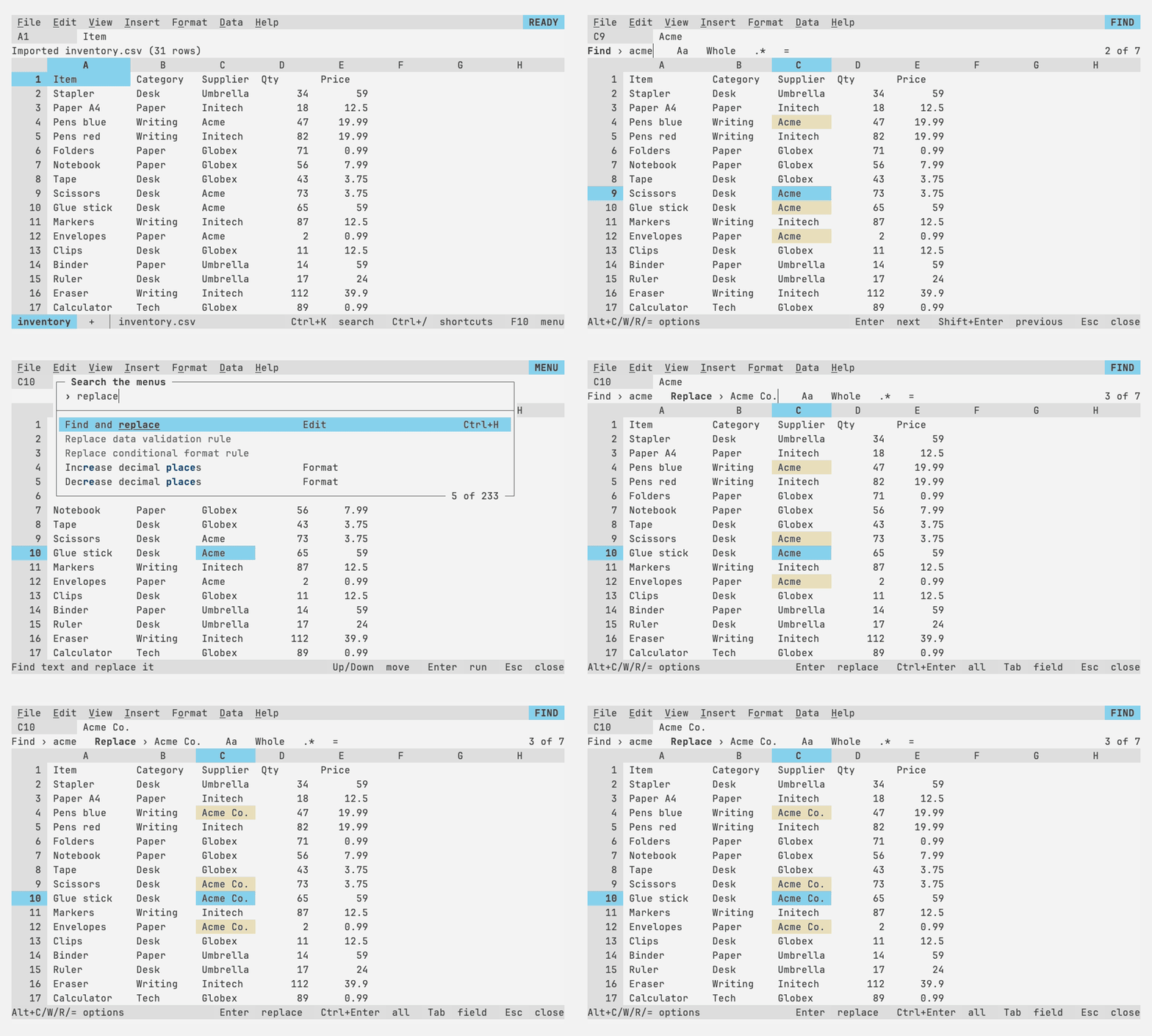
Ctrl+F opens a find bar on the context line: matches highlight as you type,
the active cell follows the current one, and Enter and Shift+Enter step
through them. Ctrl+H adds a replacement field; Enter replaces and moves on,
Ctrl+Enter or Alt+A replaces all as one undo step. Chips toggle match case (Alt+C),
whole cell (Alt+W), regular expressions (Alt+R, with $1 in replacements),
searching formulas (Alt+=). The scope chip says where to search, as Sheets'
"Search" choice: this sheet, all sheets, or the range selected when the bar
opened; Alt+S goes through them. Searching all sheets steps from sheet to
sheet in tab order, and replacing all across sheets is still one undo step.