title: "Live mode" sidebar_position: 3
Live mode
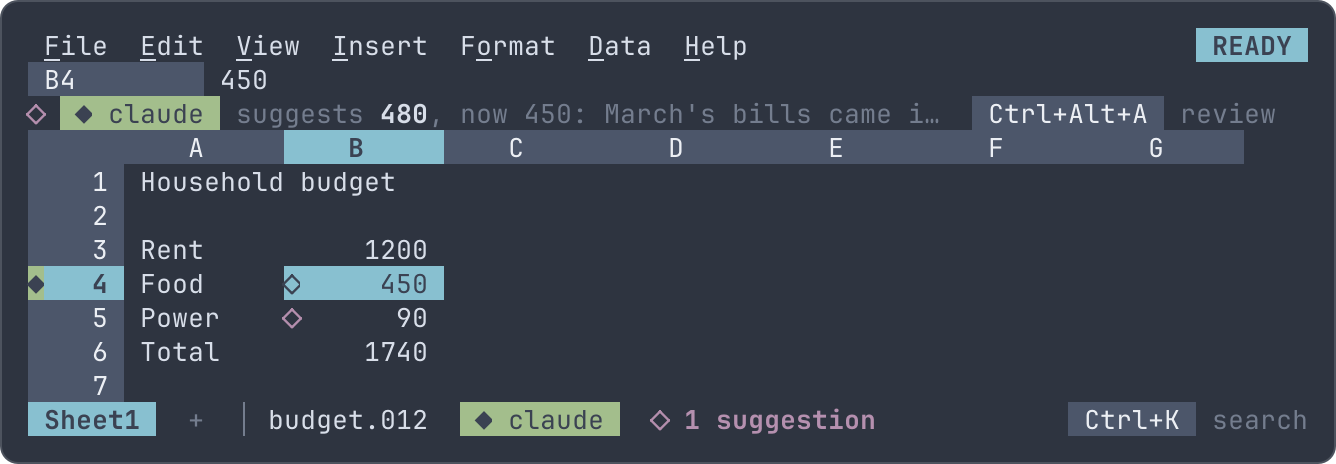
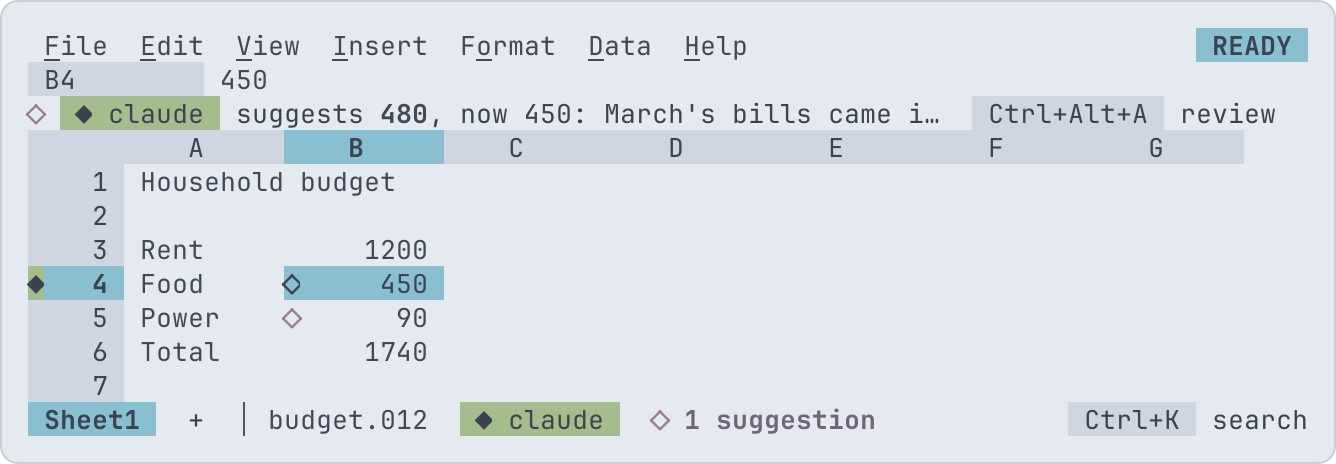
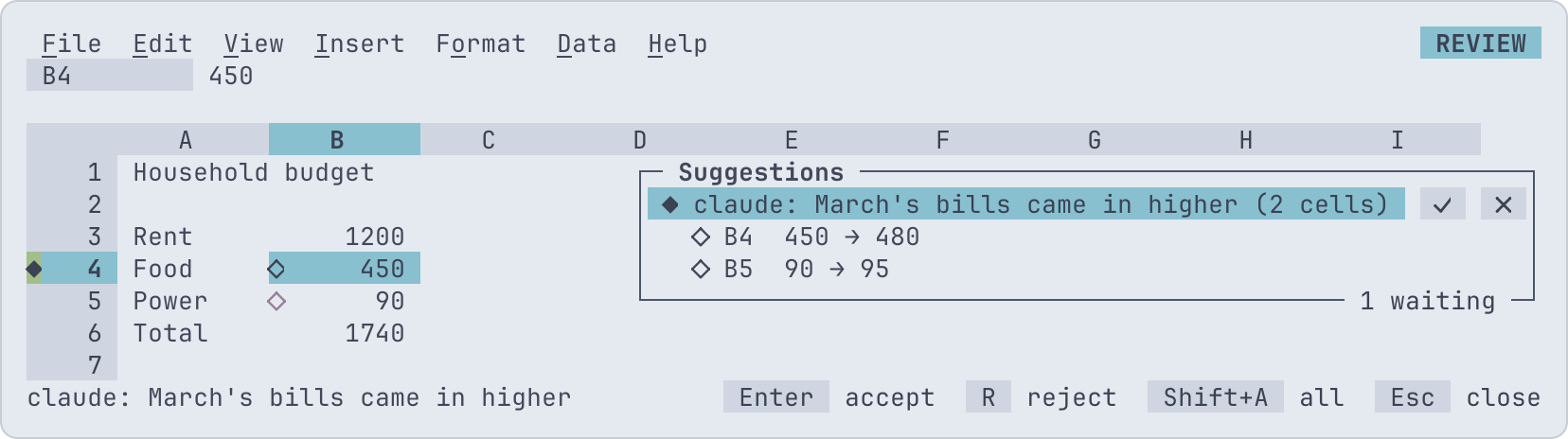
In live mode the agent works in your running 012 with you, as one more person in the workbook: its pointer and name show in the grid, it reads the workbook as it is on your screen, and what it changes arrives as a suggestion you accept or reject, whole or cell by cell. Here claude suggests March's food and power bills; the cells it would change carry a ◇, and the context line says what it would put in the one under the pointer, and why:
It is 012 serve's shared editing
with the agent as a participant: the session's workbook sits in a room,
every change goes through the workbook's one mutation path in the order
the room takes them, each attributed to whoever made it, so undo takes
back only your own and 012 diff shows everyone's. The agent uses the
MCP server's tools, on this one workbook.
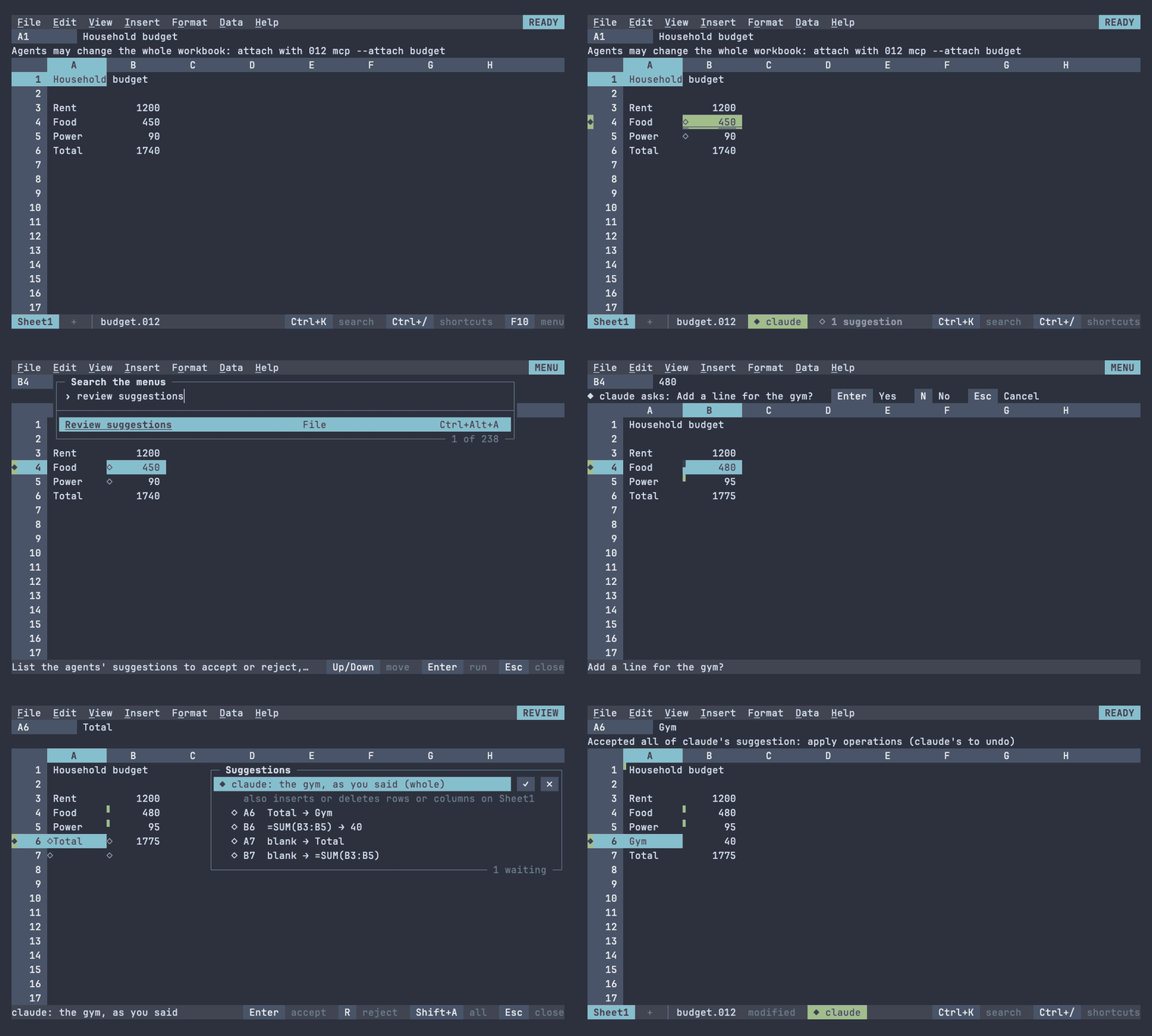
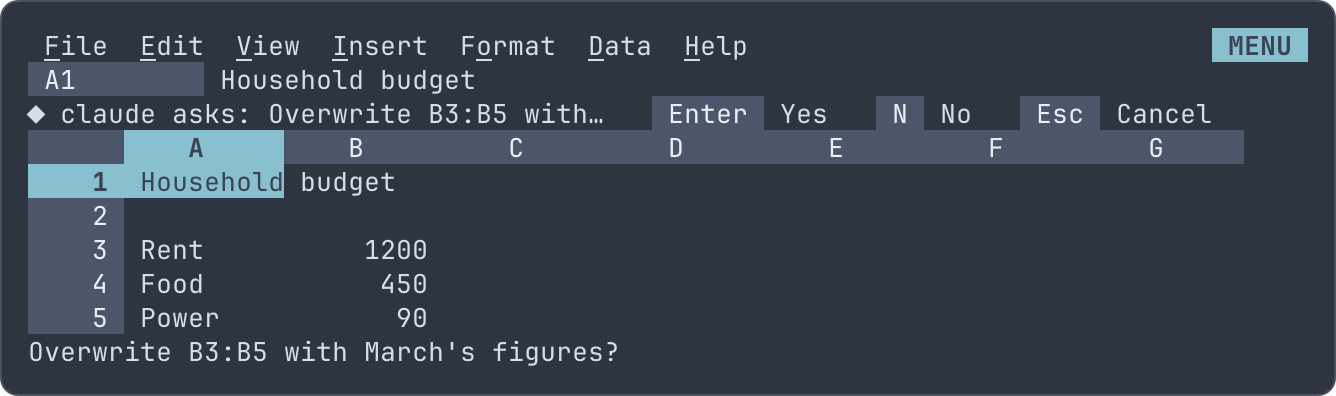
Claude, attached to a household budget, points at the bills and suggests March's figures; you review and accept them, answer its question, and accept the line it then suggests:
Starting
Let agents in when you start, or from a session already running:
012 --listen budget.012
File > Invite an agent asks what the agent may change (its
scope), and starts listening if the session wasn't;
--listen lets it suggest changes to the whole workbook. File > Stop
inviting agents closes the socket: agents attached leave, and their
suggestions stay for you to settle.
The agent's host runs 012 mcp --attach as its MCP server, which joins
the session:
claude mcp add --scope user 012-live -- 012 mcp --attach   # Claude Code
012 mcp --attach                                           # the only session listening
012 mcp --attach budget                                    # the session with budget.012 open
With no name, --attach joins the only session listening, or lists
them when there are several; a name picks the session by its workbook
(budget, budget.012) or its process id, and a path ending in
.sock names a socket. The agent's name in the grid is its host's
(Claude Code), as its MCP initialize request gives it.
In the grid
The agent shows as the others in a shared workbook do, with a ◆ where
a person has their initial: on the header of the row its pointer is on,
before its name on the status line, and in File > Who's here, which
lists it with the word agent. Its pointer's cell is in its color, double
underlined. The agent moves it with the focus tool as it works, and
each change it makes or suggests puts it on the cells changed, so you
see where it's looking.
Suggestions
What the agent changes waits as a suggestion unless you let agents edit directly. A cell it would change has a ◇ in its top-left corner; with the pointer on one, the context line says whose suggestion it is, what it would put there, what the cell holds and the agent's message. The status line counts the suggestions waiting.
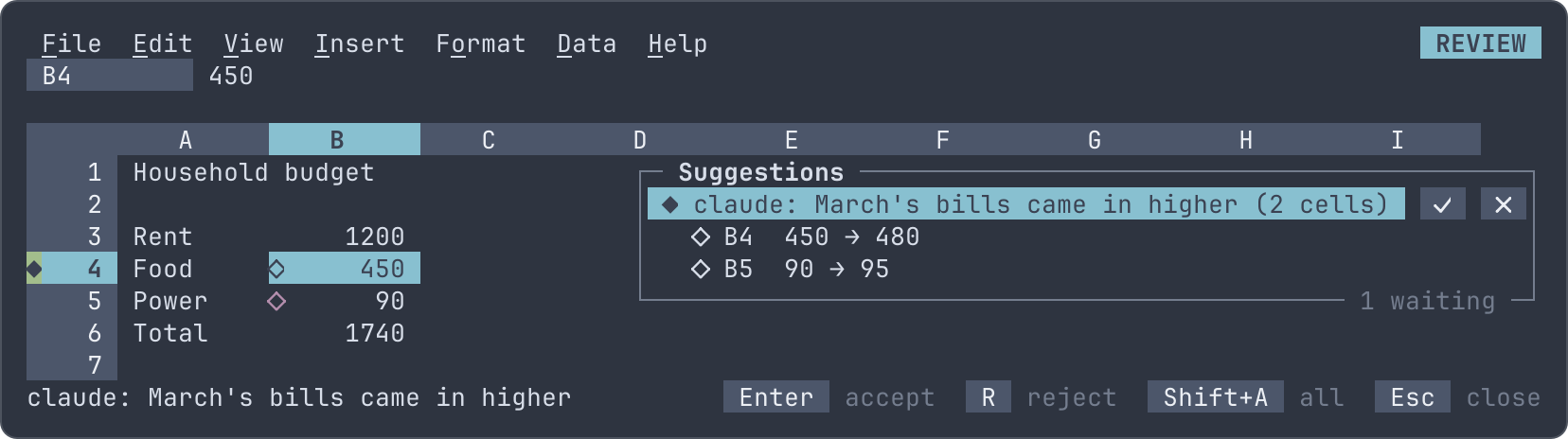
Review suggestions (Ctrl+Alt+A, or File > Review suggestions) lists them at the right of the grid, by agent and message, each with its cells; the grid shows the cell of the row highlighted:
| Key | On a suggestion | On one of its cells |
|---|---|---|
| Enter, A, or click ✓ | Accept all it has waiting | Accept the cell |
| R, Del, or click ✗ | Reject all it has waiting | Reject the cell |
| Shift+A, Shift+R | Accept or reject every suggestion |
What you accept is made as one step, in the agent's name: its cells
show as changed by it, the agent's undo takes it back, and your own
undo passes it by, as it passes by another person's step. A change that
does more than set cells (inserting rows, adding a sheet, a chart, a
filter) is listed with what else it does and is accepted whole, by
making it again on the workbook; a change of cells alone sets the cells
it showed you. Rejecting changes nothing. Either way the agent hears
of it: the suggestions resource is updated for hosts subscribed to
it, and its next write lists what became of its earlier ones.
Direct edits
File > Let agents edit directly skips suggestions: agents' changes are made at once, each its own step, still theirs to undo. It is off when a session starts, holds for the session, and applies to every agent in it.
Scope
When you invite the agent you pick what it may change:
| Scope | The agent may change |
|---|---|
| The whole workbook | Anything, as you could |
| This sheet | The shown sheet's cells, lines, charts, rules and filters; no other sheet, and not the sheet list, names or settings |
| The selection | The cells of the selected range only |
| Read only | Nothing: it reads, points and asks |
A change outside the scope is refused before it reaches you, with the reason, and the agent's pointer stays inside it. The scope bounds changes, not reading: formulas in the scope read cells outside it, so the agent reads the whole workbook. Invite it again to change the scope.
Notebook cells and JEV
What reaches beyond the workbook needs your leave each time, or for the
session, as an untrusted macro does. The agent's
run_notebook_cell asks before your session runs the cell with nu as
you, with your files; with the whole workbook in scope only, as its
output goes to the sheets it's sent to. With direct edits on, a change
that enters JEV formulas, which send cells' values
over the network with your API key, asks first; a suggestion doesn't,
as accepting it is your leave. The question takes the context line:
Enter allows once, A allows for the session, Esc denies.
Questions
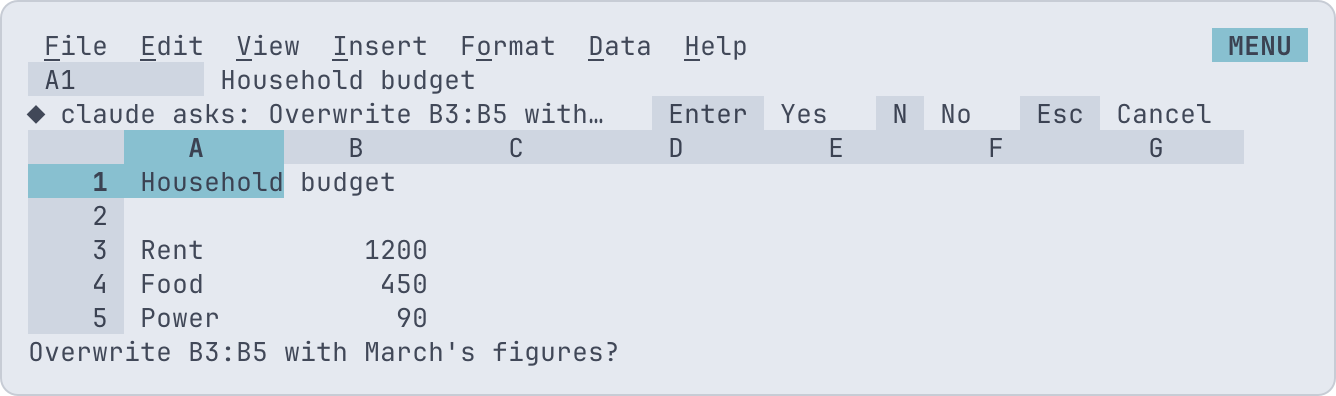
The agent's ask tool puts a question on your context line and waits
for your answer:
It takes what an MCP elicitation request takes, a message and a flat
object schema, and returns what an elicitation returns: accept with
the values, decline or cancel. MCP's elicitation goes from a server
to the user of its host; here you are on the server's side, so the
agent asks through a tool shaped like one. A question without a schema
is a yes or no (Enter, N, Esc); otherwise each property is asked in
turn: a boolean with Y and N, a choice (enum, or oneOf consts, up
to nine) with its number, a string, number or integer typed and
entered. Esc cancels. The question waits until you're in READY with
nothing open, and goes away if the agent stops waiting.
Tools
The agent has the MCP server's tools, working on the one
workbook: path is left out. Writes return the suggestion's number,
or with direct edits the change as saved, and the news of earlier
suggestions. create_workbook isn't offered. Live mode adds:
| Tool | Does |
|---|---|
focus |
Moves the agent's pointer to a cell or range, in its scope |
undo |
Takes back the agent's latest step that was made (accepted, or made directly); refused when someone changed the same cells since |
ask |
Asks you a question and waits for the answer |
suggestions |
The agent's suggestions and what became of each, and its scope |
run_notebook_cell |
Has your session run a notebook cell, once you allow it |
The resource o12:/ lists the same as suggestions;
hosts subscribed to it are told when you settle one.
012 serve
012 serve listens the same way when sharing is
on, and the agent on the server, run by the server's user, joins a file
someone has open by naming it: 012 mcp --attach budget.012. It may
change the whole workbook, as a suggestion anyone in the room accepts
or rejects; its questions go to whoever is free first.
Security
- A session listens on a Unix socket only you can reach: the socket is
0600, in a folder that is0700,$XDG_RUNTIME_DIR/or else012 agentsin 012's config folder. Nothing listens on the network. - The session asks the kernel who connected (
SO_PEERCREDon Linux,LOCAL_PEERCREDon macOS and FreeBSD) and refuses any other user.012 mcp --attachrefuses a socket or folder another user owns or can reach. - On Windows the socket is in your profile's folder, whose permissions keep other users out; there is no kernel check of who connected.
- The agent can do what the scope and your grants allow, as you, in this workbook only: it opens no files, runs nothing and reaches no network without your leave.
- A process of yours can attach, as it could already read and write your files; stop inviting agents to close the socket.
Limits
- A change is made on a copy of the workbook first, to show it and
check its scope, so a suggestion costs a save and an open of the
workbook: quick for everyday workbooks, seconds near the
max-cellsbudget. - The agent's changes are made in the order the room takes them, as anyone's; accepting a suggestion sets the cells it showed, over what anyone typed in them since.
- The agent attaches to the workbook it was invited to: opening another file in the session stops inviting agents.